
Canary Browser
Give each part of your browsing its own space.
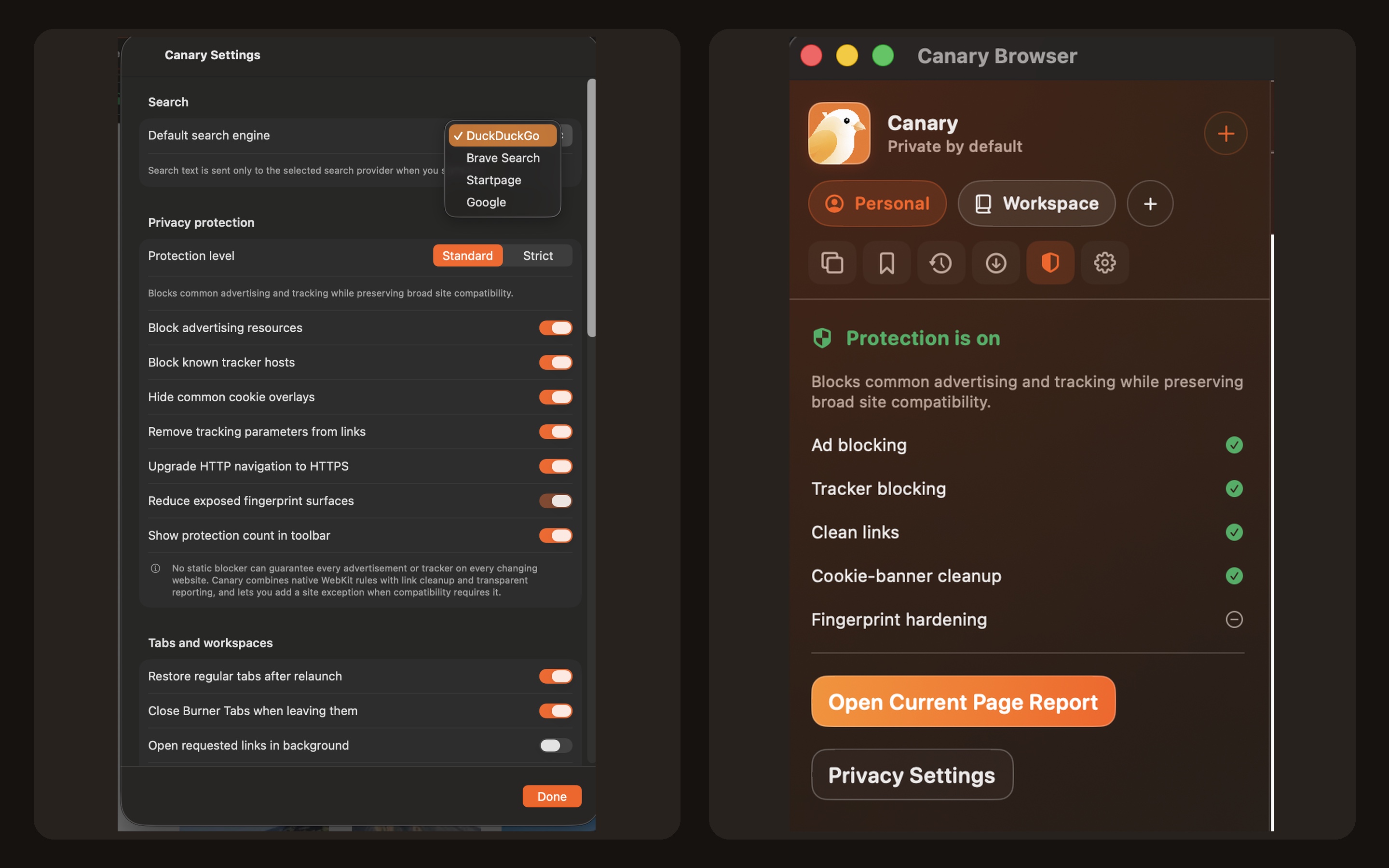
Separate workspaces help you keep different browsing sessions organised, while private and burner tabs provide temporary places for focused visits.
What you can do with Canary Browser
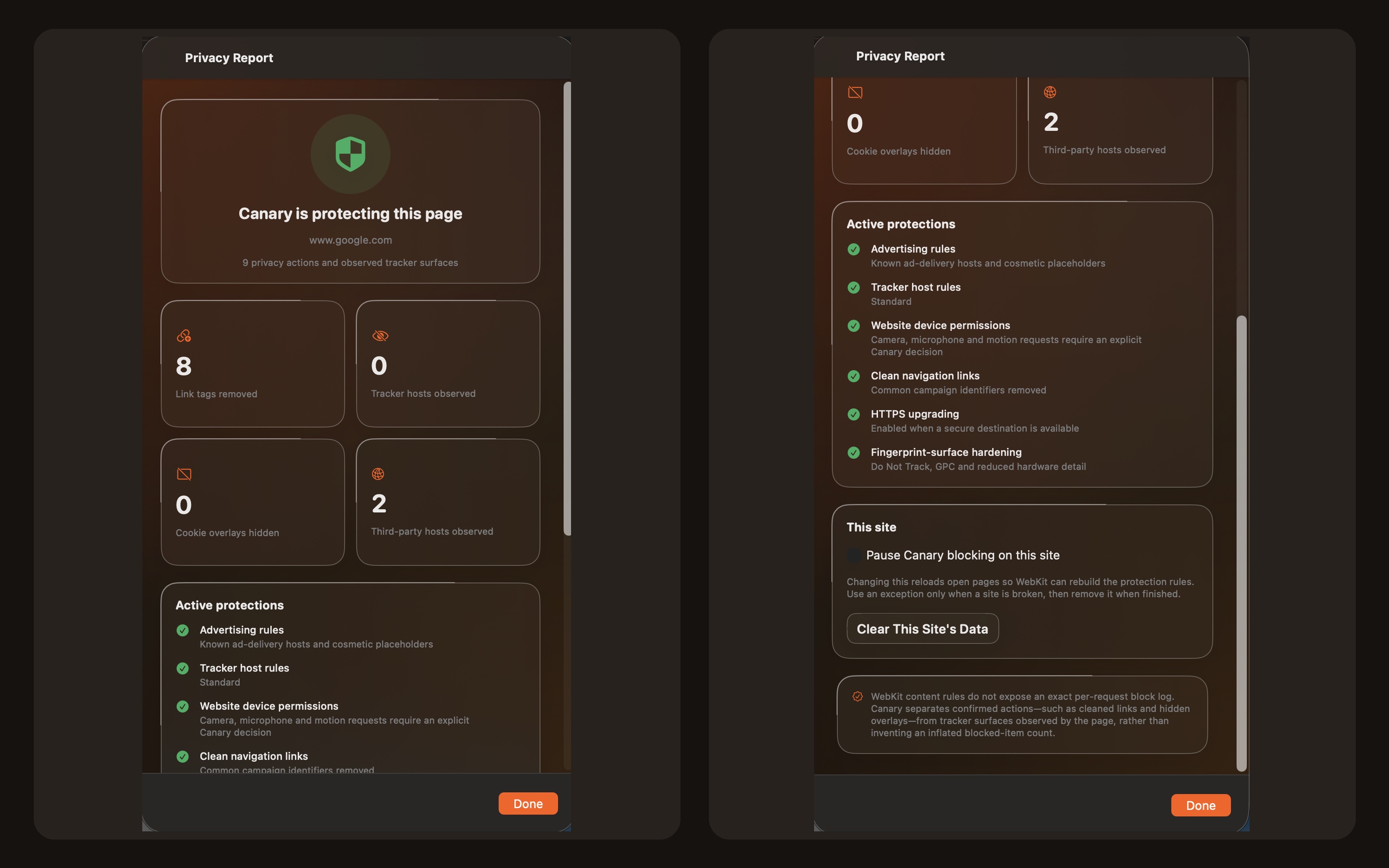
Keep different parts of your browsing in their own workspaces. Canary Browser for Windows combines Chromium tabs, separate browsing sessions and temporary private or burner tabs in one desktop app. Use split views to keep pages side by side, then save useful material with PDF output. A clear way to move between research, projects and everyday browsing.
- Separate browsing sessions into workspaces
- Keep two views beside each other
- Use temporary tabs and save pages as PDF
See the workspace
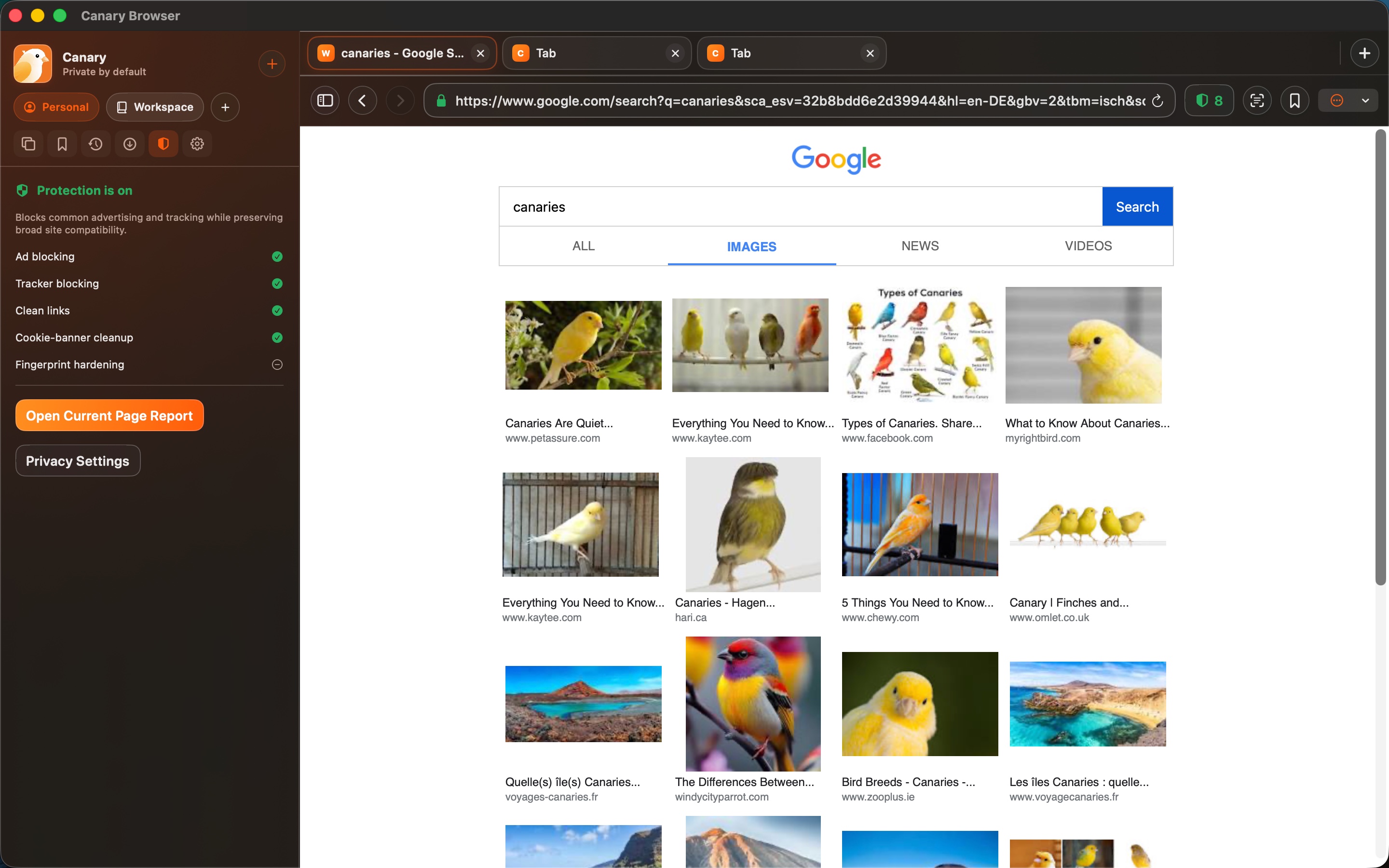
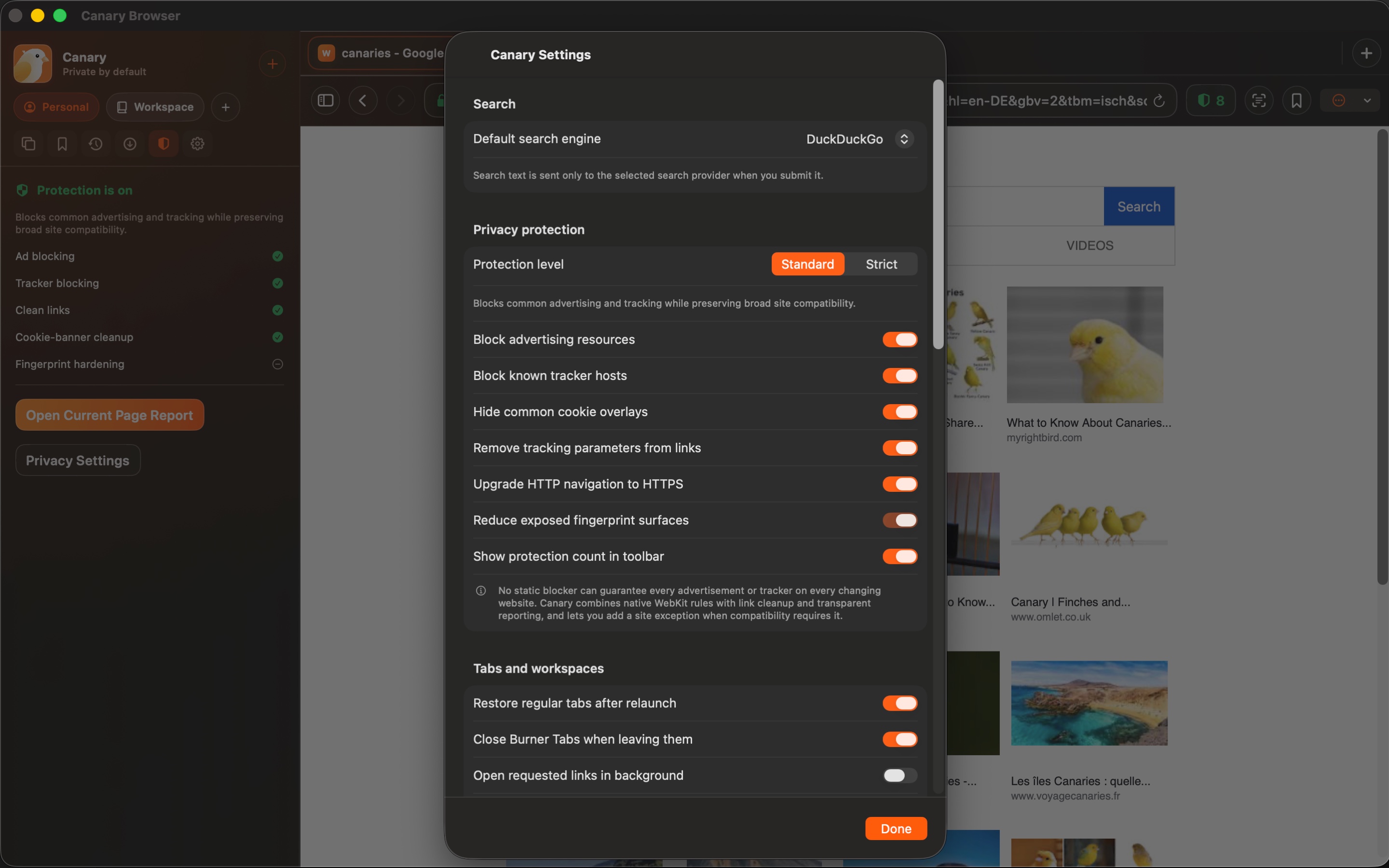
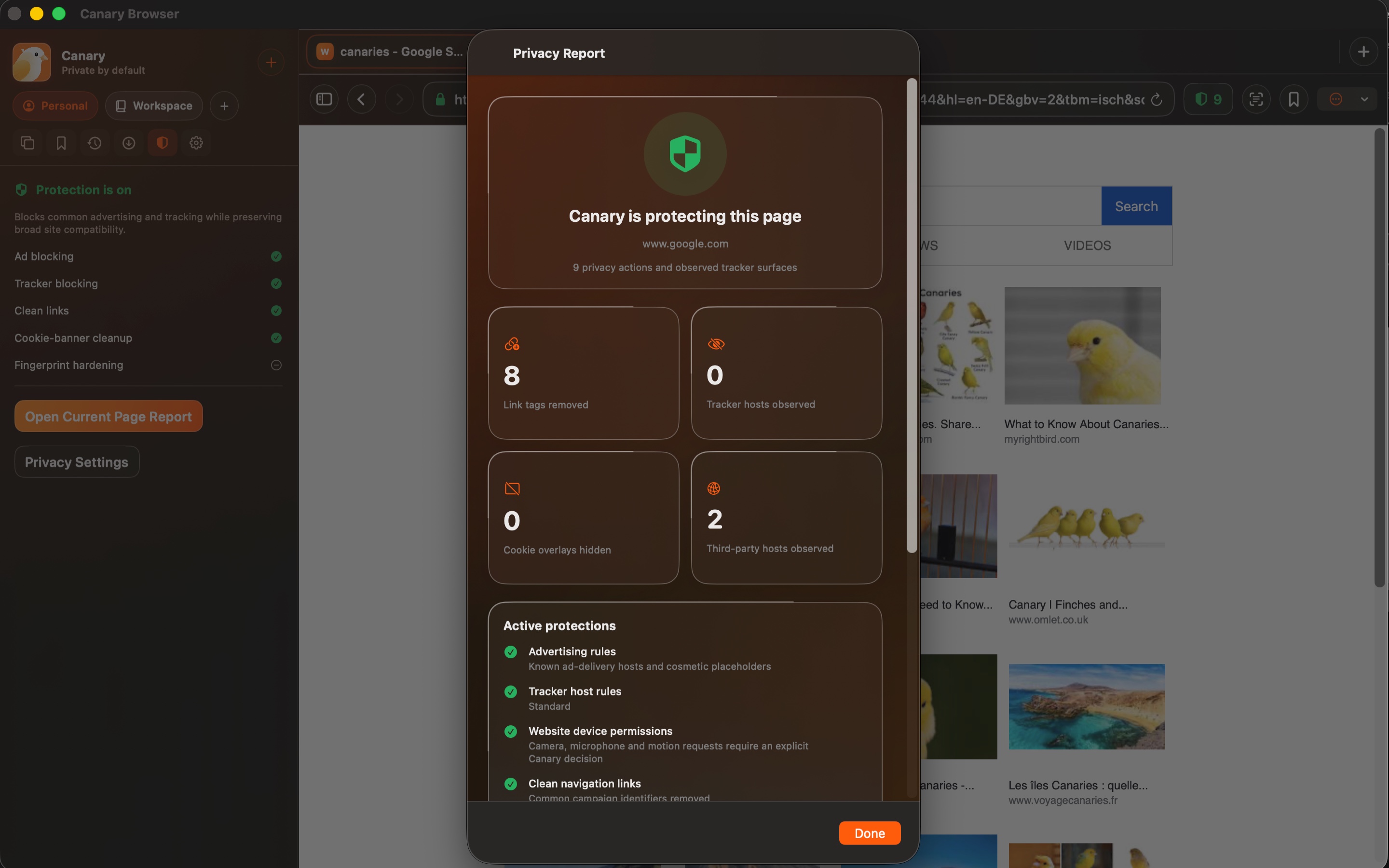
Explore 3 more screenshots
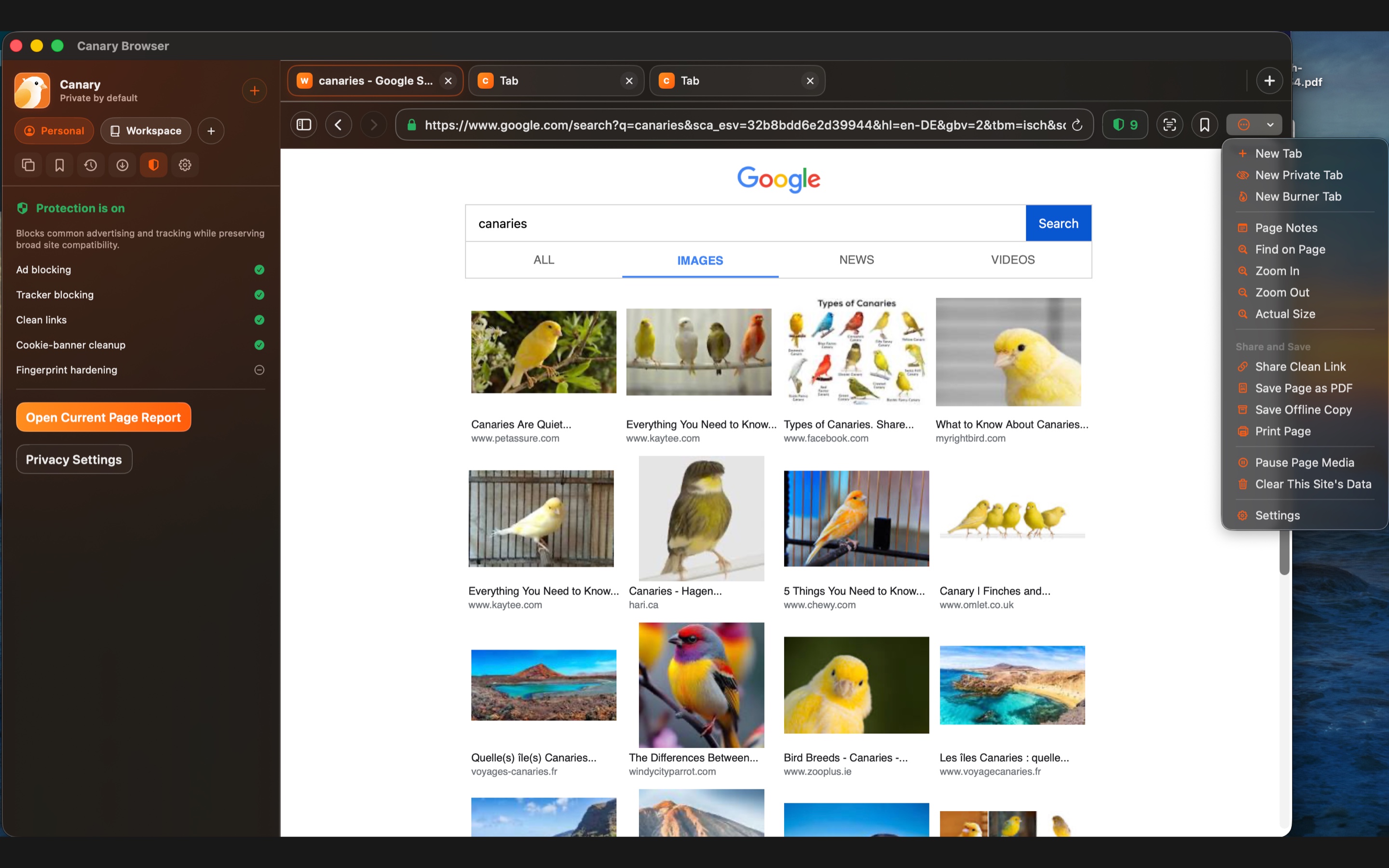
A simple way to get started
Create a browsing workspace
Group the tabs for a project or browsing session in their own workspace.
Keep pages in view
Compare pages in split views as you work through a subject.
Choose how to browse
Use a private or burner tab when you want a temporary visit.
Explore more features
- Workspace-separated browsing sessions
- Private and burner tabs
- Split view and PDF output
Get Canary Browser
Compatibility and installation details
- Requires
- Windows x64; review product requirements
- Architecture
- x64
- Version
- 1.0.0
- Download
- 97.5 MB
- Installer
- Canary Browser-1.0.0-Windows-x64-Setup.exe
- Publisher signature
- Unsigned
- SHA-256
fc76a3ee679c453925f2cd2a2e5fa4c7aae0c6baba731f503d8a0d3e3021fc75
Download the Windows installer from your receipt and follow its setup steps.
Useful to know
What can I do with Canary Browser?
Keep different parts of your browsing in their own workspaces. Canary Browser for Windows combines Chromium tabs, separate browsing sessions and temporary private or burner tabs in one desktop app. Use split views to keep pages side by side, then save useful material with PDF output. A clear way to move between research, projects and everyday browsing.
How do I start?
Group the tabs for a project or browsing session in their own workspace. Compare pages in split views as you work through a subject. Use a private or burner tab when you want a temporary visit.
How do I receive my download?
After your purchase, the receipt page provides your download link. The exact expiry is shown with your delivery link. Keep your receipt and installer. If a link expires or a download fails, contact support with your receipt instead of buying again.
Where can I find setup help?
Compatibility and installation details are on this page. The installation guide and support team can help with the next step.
Watch the screenshot tour
. Watch the video and read a list of the views it shows before choosing the app.