Indep File Manager
Bring your Windows files into one organised workspace.
Browse files, save searches, review duplicates and make verified copies from one Windows workspace.
What you can do with Indep File Manager
Find, organise and review your files with the tools close at hand. Indep File Manager brings local browsing, structured search and storage review into one Windows workspace. Save useful searches, compare duplicate findings and prepare verified copies or migration work. A focused place to sort a project, organise a folder and understand what is taking up space on your PC.
- Find files with browsing and saved searches
- Prepare verified file copies and migration work
- Review duplicate files and use recoverable recycling
See the workspace
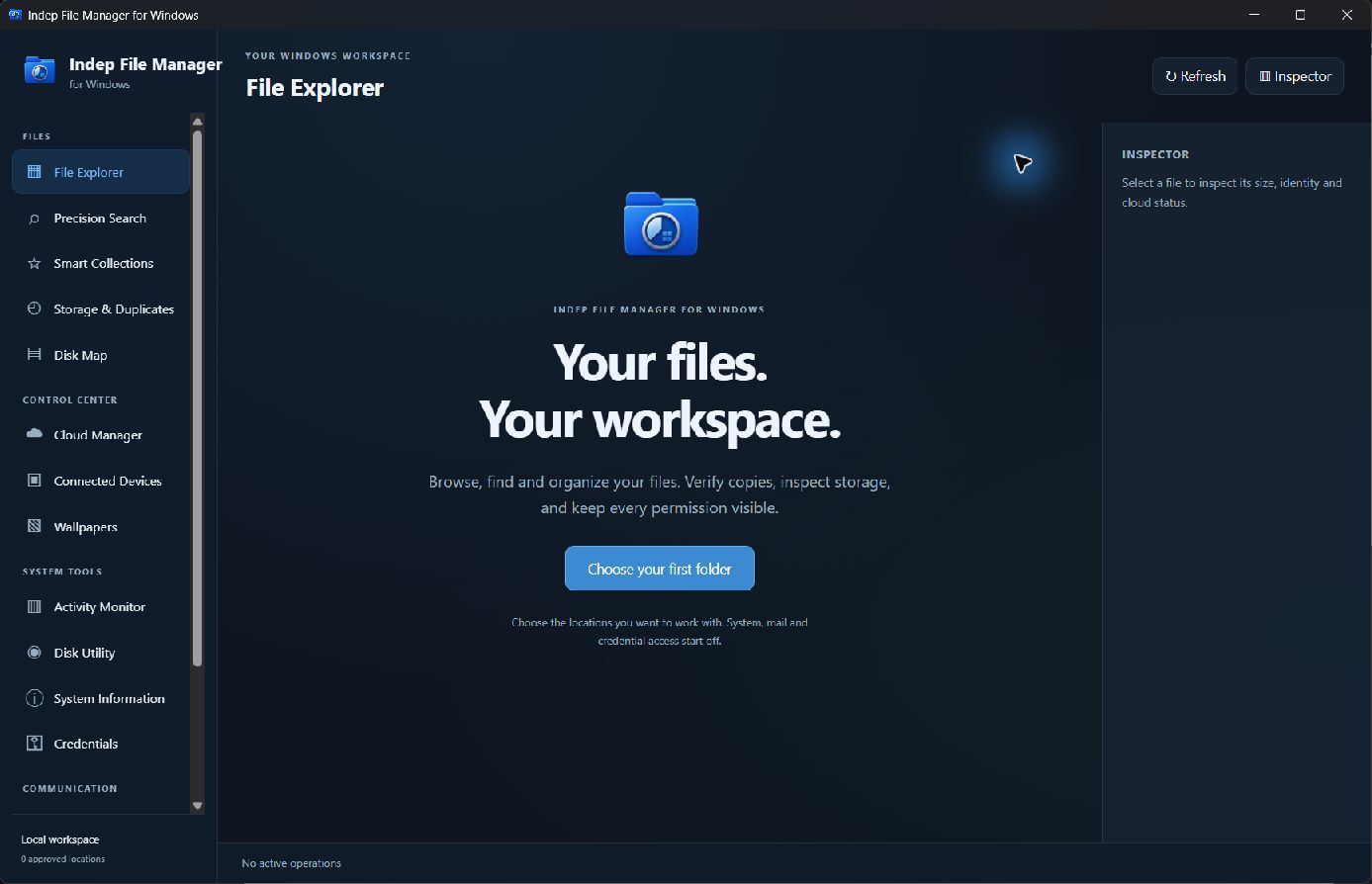
A simple way to get started
Browse and search
Open your folders and find files through the Windows file workspace.
Inspect the details
Review file information and storage context before the next operation.
Organise your files
Use the file tools to arrange and copy the items you have chosen.
Explore more features
- File browsing and saved searches
- Verified file copies and migration
- Duplicate review and recoverable recycling
Get Indep File Manager
One purchase through Stripe's hosted checkout — $10 for one app, $29 for two different apps or $39 for three different apps — and the complete app downloads straight away. Built natively in Swift 6 for Windows 11. Each download link works once and expires after a while.
Compatibility and installation details
- Requires
- Windows x64; review product requirements
- Architecture
- x64
- Version
- 1.0.0
- Download
- 123.2 MB
- Installer
- Indep File Manager-1.0.0-Windows-x64-Setup.exe
- Publisher signature
- Unsigned
- SHA-256
ec1209ef6e8d5621e75e525c30e55f9b8031d6d7cbfeaa48453d1cfb0e1afa0f
Download the Windows installer from your receipt and follow its setup steps.
Useful to know
What can I do with Indep File Manager?
Find, organise and review your files with the tools close at hand. Indep File Manager brings local browsing, structured search and storage review into one Windows workspace. Save useful searches, compare duplicate findings and prepare verified copies or migration work. A focused place to sort a project, organise a folder and understand what is taking up space on your PC.
How do I start?
Open your folders and find files through the Windows file workspace. Review file information and storage context before the next operation. Use the file tools to arrange and copy the items you have chosen.
How do I receive my download?
After your purchase, the receipt page provides your download link. The exact expiry is shown with your delivery link. Keep your receipt and installer. If a link expires or a download fails, contact support with your receipt instead of buying again.
Where can I find setup help?
Compatibility and installation details are on this page. The installation guide and support team can help with the next step.
Watch the screenshot tour
. Watch the video and read a list of the views it shows before choosing the app.