
InQ SoundBooth
Give your audio its own editing room.
Arrange clips on a waveform timeline, shape tracks with EQ and compression, and bring the mix together with gain, pan and bus controls.
What you can do with InQ SoundBooth
Arrange clips on a waveform timeline, shape tracks with EQ and compression, and bring the mix together with gain, pan and bus controls. Record an editable microphone take and refine the session over time. InQ SoundBooth keeps the project local and exports a stereo WAVE when the mix is ready.
- Arrange and record audio on a waveform timeline
- Shape the mix with EQ, dynamics and automation
- Save an editable session and export stereo WAVE
See the workspace
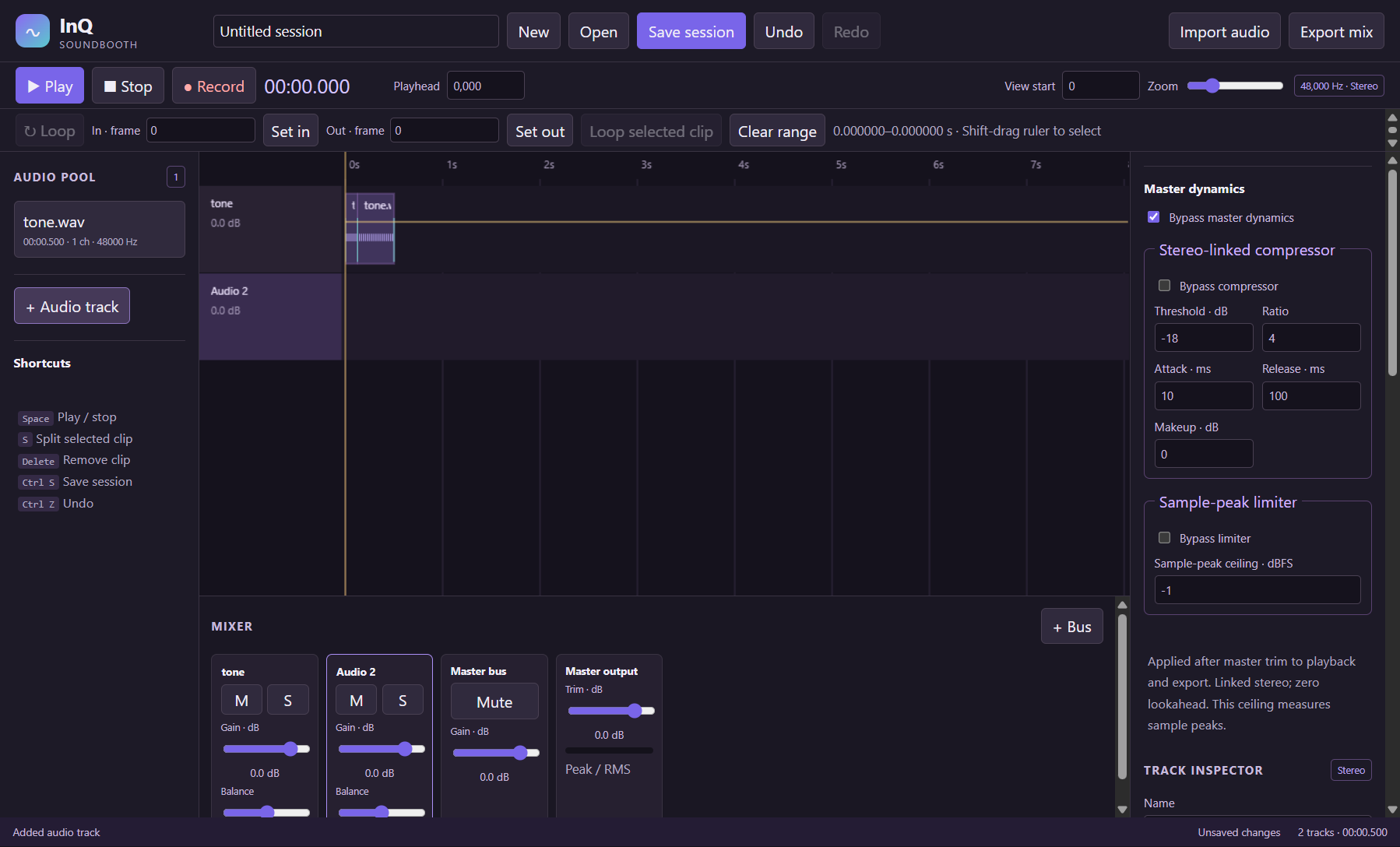
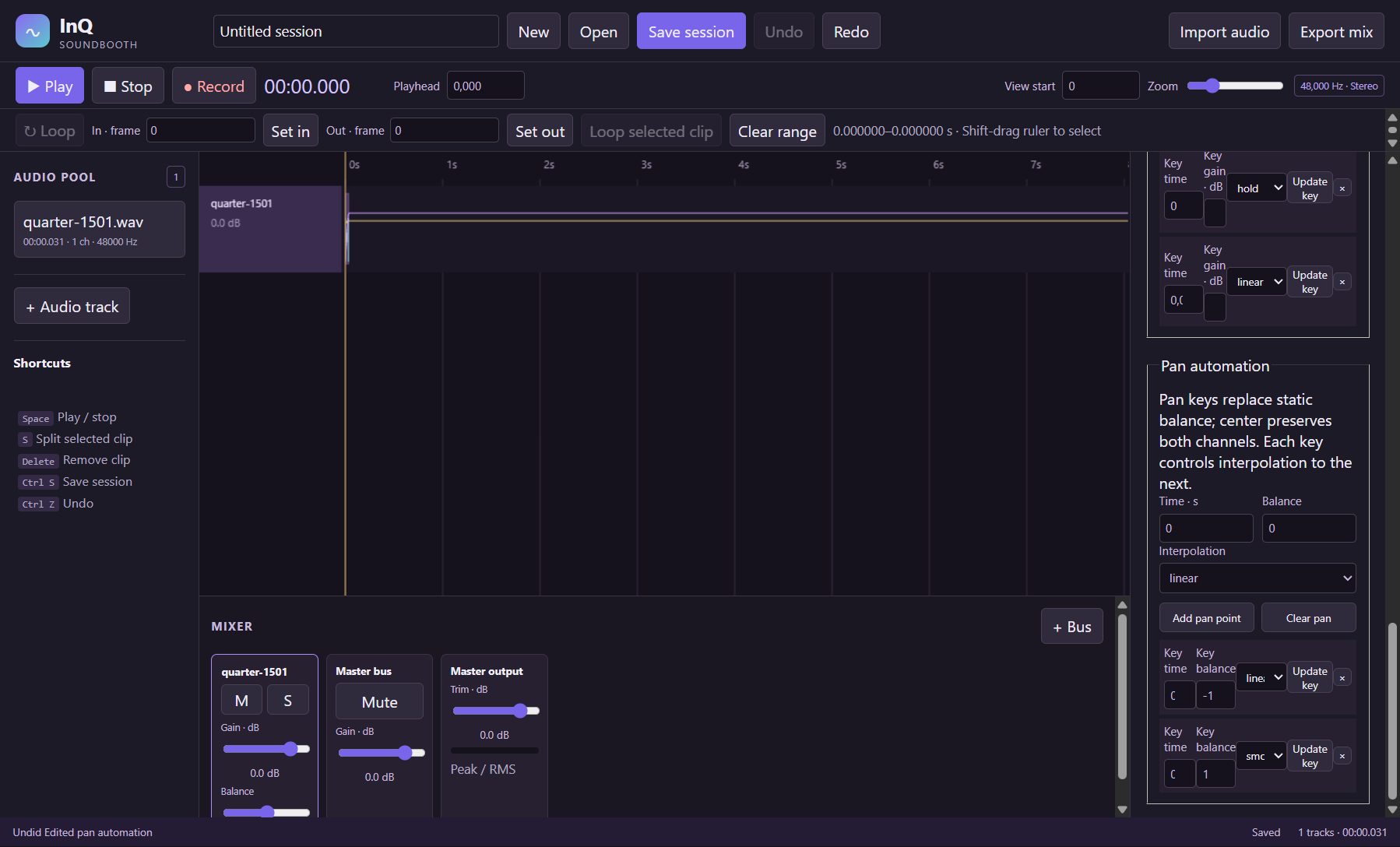
A simple way to get started
Build a session
Import audio or record a microphone take, then arrange clips on the waveform timeline.
Shape the mix
Set fades, adjust EQ and dynamics, and automate gain and pan.
Keep and deliver
Save an editable session and export the stereo mix as WAVE.
Explore more features
- Arrange multiple audio tracks in a zoomable waveform timeline with source and clip inspection
- Import PCM or Float32 WAVE files and compressed audio supported by the bundled browser decoder
- Move clips, trim source windows, split at the playhead, duplicate and edit clip gain
- Set fade-in/out lengths in session sample frames with linear or equal-power curves
- Adjust track gain, stereo balance, mute and solo through mixer controls
- Route tracks to the master or a submix bus with bus gain and mute controls
Get InQ SoundBooth
Compatibility and installation details
- Requires
- Windows 11 x64
- Architecture
- x64
- Version
- 0.5.0
- Download
- 106.1 MB
- Installer
- InQ-SoundBooth-0.5.0-Windows-x64-Setup.exe
- Publisher signature
- Unsigned
- SHA-256
faca362b276fcaa0bbeff0beaf94e4ee3e553a40a2972eb964082321dc1acc5a
Download the Windows installer from your receipt and follow its setup steps.
Useful to know
What can I do with InQ SoundBooth?
Arrange clips on a waveform timeline, shape tracks with EQ and compression, and bring the mix together with gain, pan and bus controls. Record an editable microphone take and refine the session over time. InQ SoundBooth keeps the project local and exports a stereo WAVE when the mix is ready.
How do I start?
Import audio or record a microphone take, then arrange clips on the waveform timeline. Set fades, adjust EQ and dynamics, and automate gain and pan. Save an editable session and export the stereo mix as WAVE.
How do I receive my download?
After your purchase, the receipt page provides your download link. The exact expiry is shown with your delivery link. Keep your receipt and installer. If a link expires or a download fails, contact support with your receipt instead of buying again.
Where can I find setup help?
Compatibility and installation details are on this page. The installation guide and support team can help with the next step.