
Chorus
Give one piece of content more places to go.
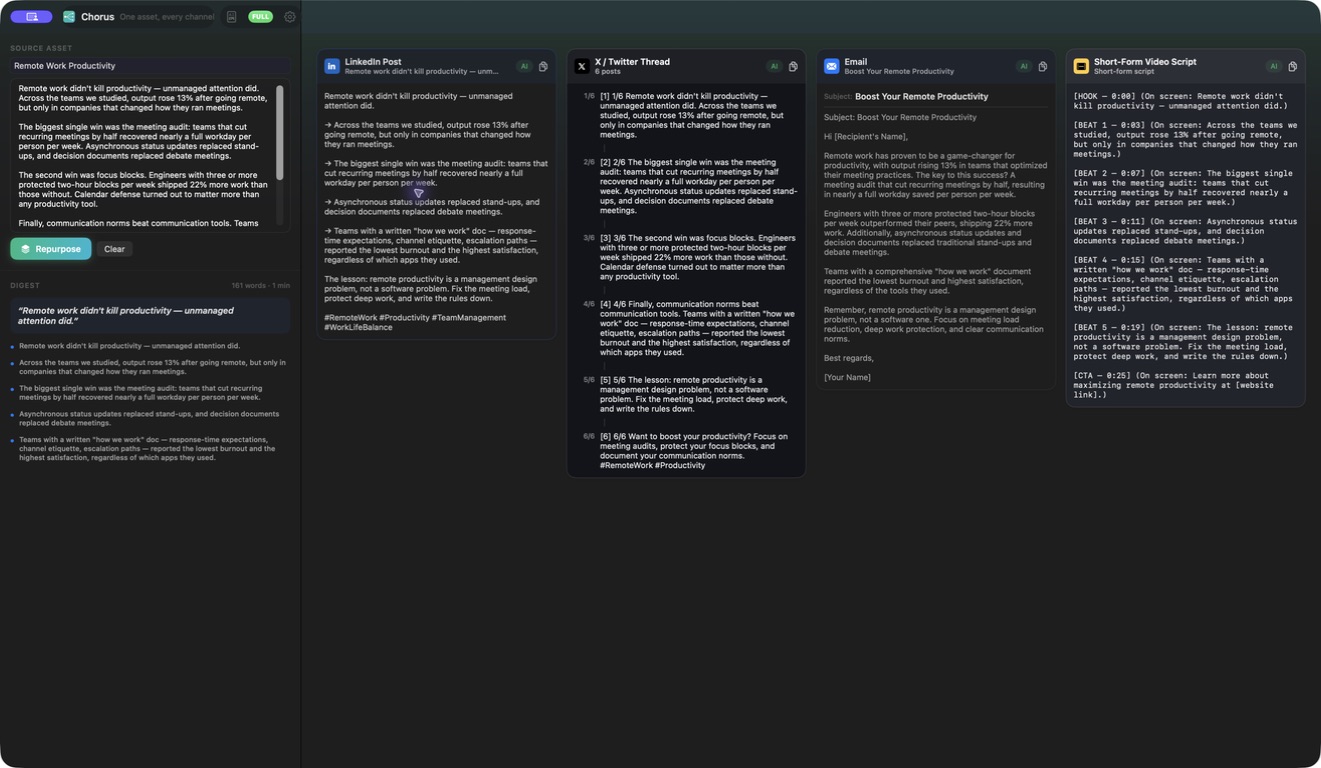
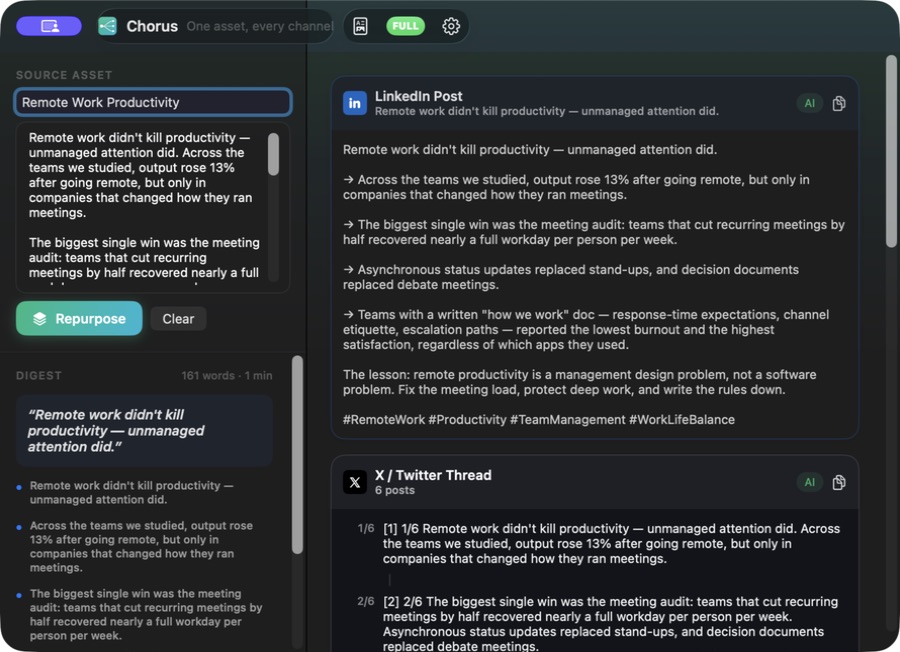
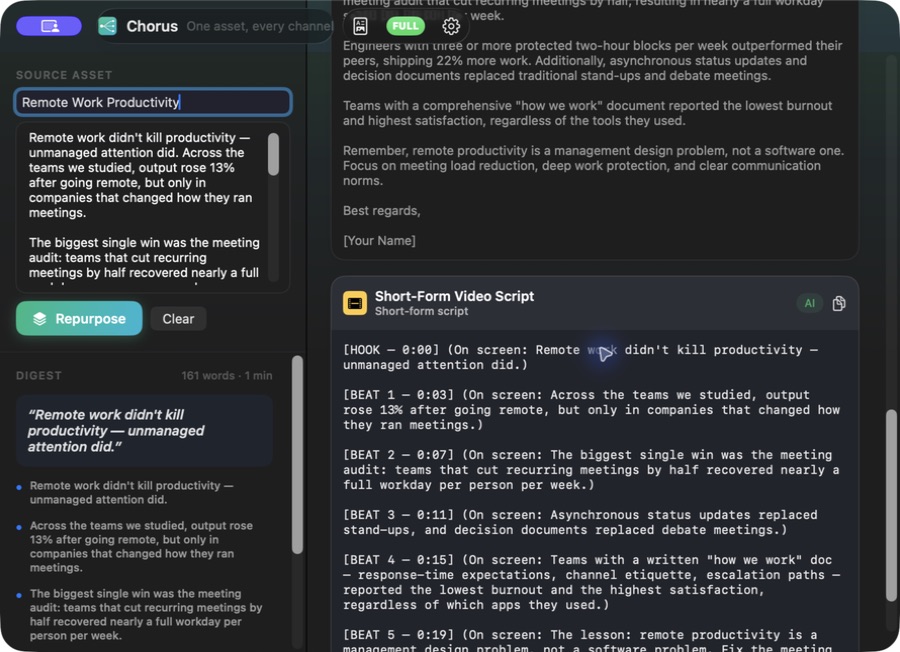
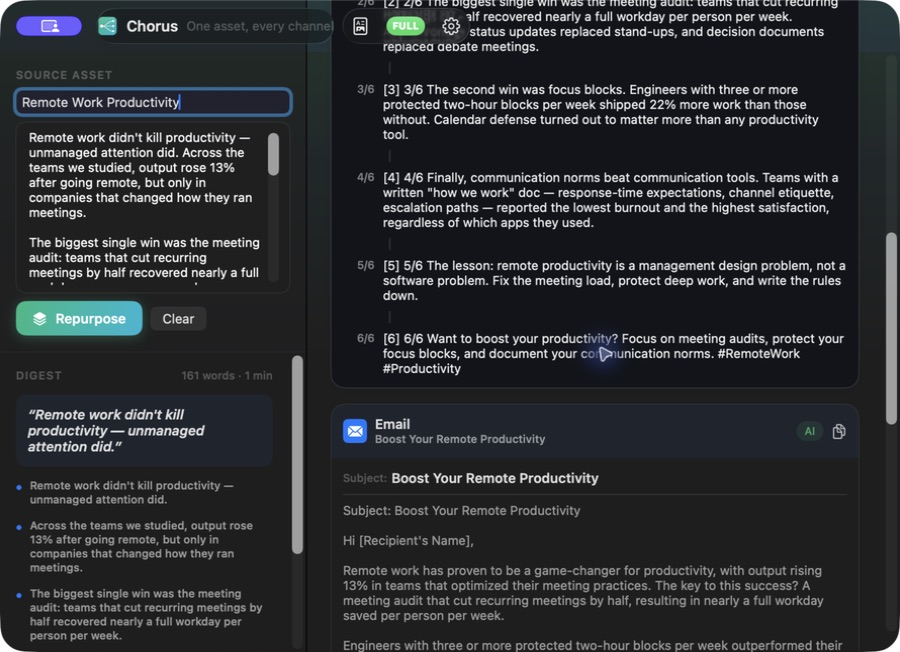
Turn an article, transcript or other source into drafts for social, email and short-video storytelling.
What you can do with Chorus
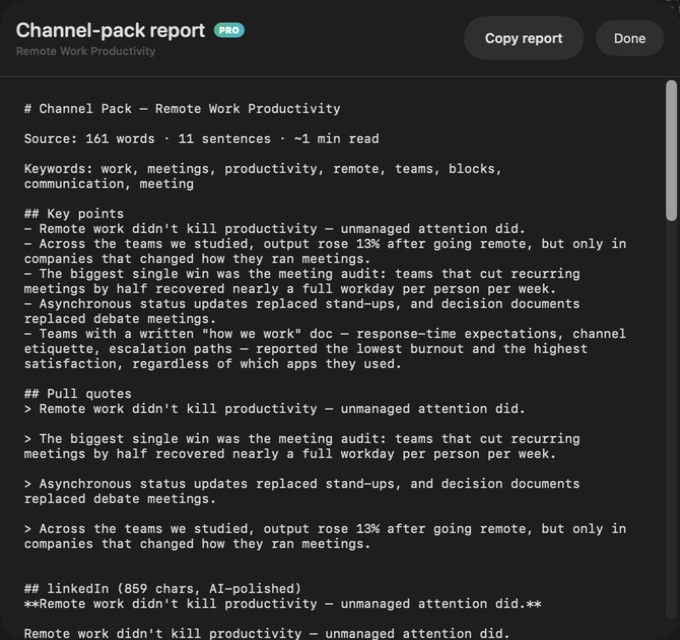
Turn an article, transcript or other source into drafts for social, email and short-video storytelling. Chorus keeps the original material and its key points close to the outputs, helping you shape each channel's version with context. Refine the wording and export a content pack that is easier to work from.
- Start from the same source and key points
- Shape drafts for social, email and video
- Export a content pack for your next workflow
See the workspace
Explore 3 more screenshots
A simple way to get started
Bring the source
Paste the article, transcript or source content you want to reuse.
Shape each channel
Review the key points and develop social, email or video drafts.
Prepare your content pack
Refine the wording and export the material for your publishing workflow.
Explore more features
- Source-linked key points and quotations
- Social, email and storyboard drafts
- Version comparison and Markdown export
Get Chorus
Compatibility and installation details
- Requires
- Windows x64; review product requirements
- Architecture
- x64
- Version
- 1.0.0
- Download
- 94.8 MB
- Installer
- Chorus-1.0.0-Windows-x64-Setup.exe
- Publisher signature
- Unsigned
- SHA-256
4cb088f5452771e96fff86338f57d0f7025d287c74daffe9c483d0a6cb28ea8c
Download the Windows installer from your receipt and follow its setup steps.
Useful to know
What can I do with Chorus?
Turn an article, transcript or other source into drafts for social, email and short-video storytelling. Chorus keeps the original material and its key points close to the outputs, helping you shape each channel's version with context. Refine the wording and export a content pack that is easier to work from.
How do I start?
Paste the article, transcript or source content you want to reuse. Review the key points and develop social, email or video drafts. Refine the wording and export the material for your publishing workflow.
How do I receive my download?
After your purchase, the receipt page provides your download link. The exact expiry is shown with your delivery link. Keep your receipt and installer. If a link expires or a download fails, contact support with your receipt instead of buying again.
Where can I find setup help?
Compatibility and installation details are on this page. The installation guide and support team can help with the next step.
Watch the screenshot tour
. Watch the video and read a list of the views it shows before choosing the app.