Foldline
Build your landing-page story from one brief.
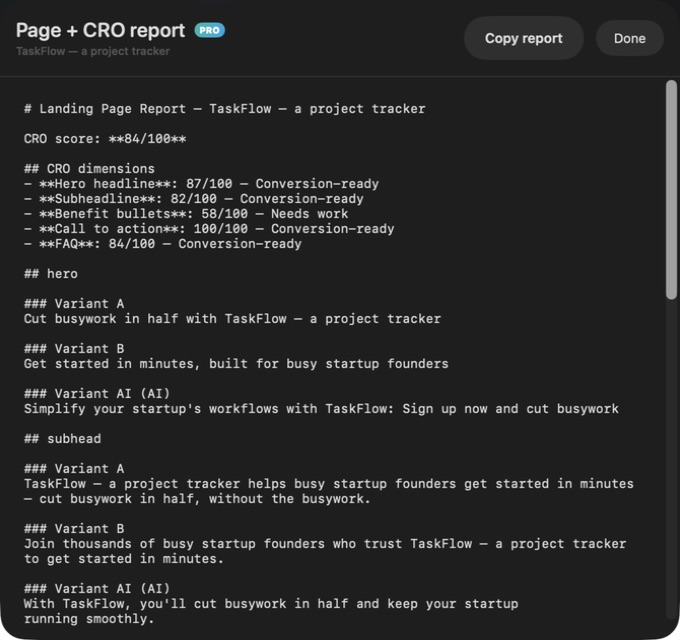
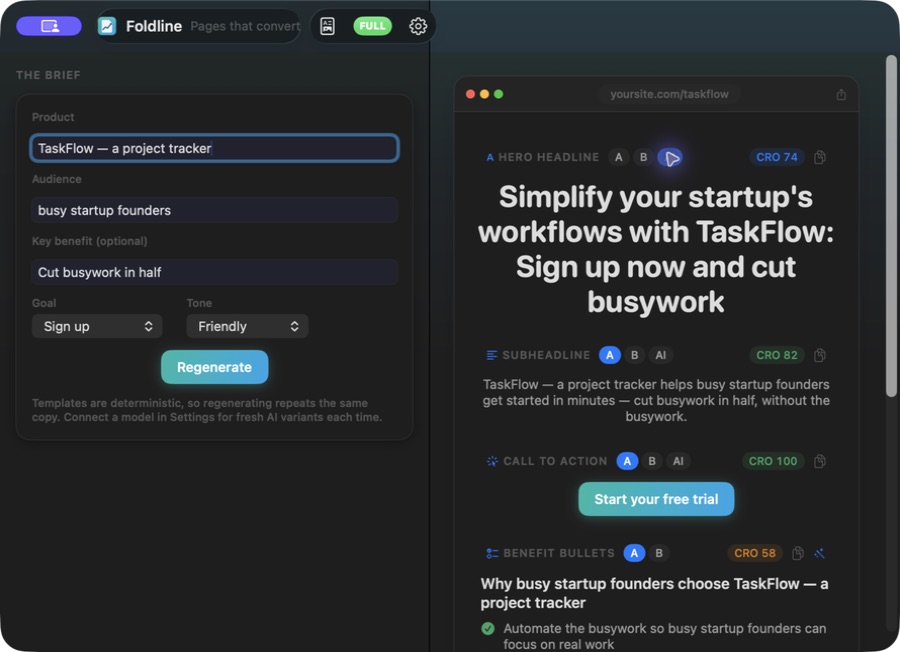
Bring the product, audience and goal together, then draft the hero, benefits, call to action and FAQ in one workspace.
What you can do with Foldline
Bring the product, audience and goal together, then draft the hero, benefits, call to action and FAQ in one workspace. Foldline lets you compare alternative wording section by section and refine the page as a whole. Keep useful variants and export the copy when your story is ready for design.
- Draft the hero, benefits, CTA and FAQ together
- Compare alternative wording section by section
- Export a complete landing-page copy set
See the workspace
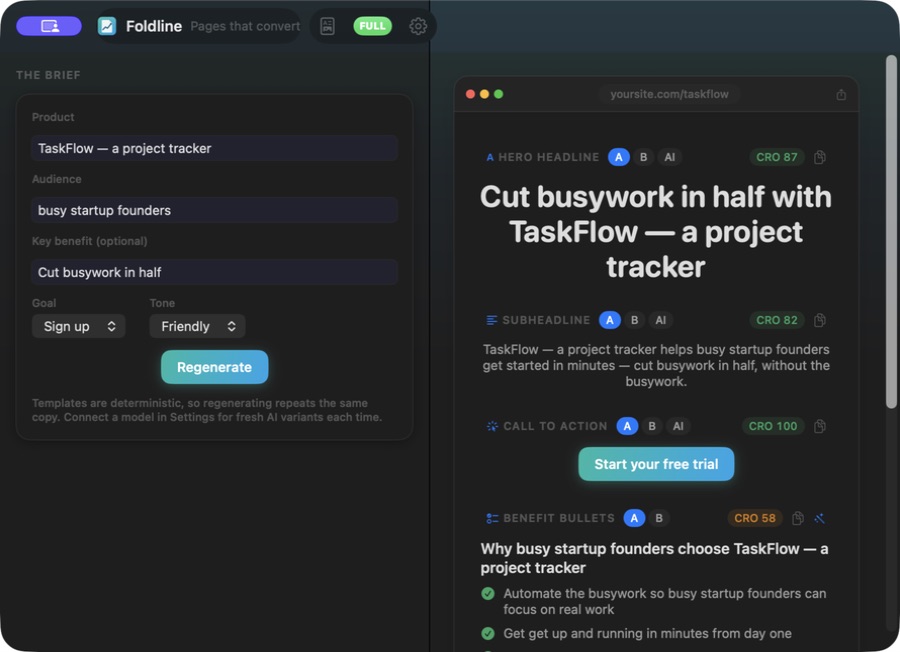
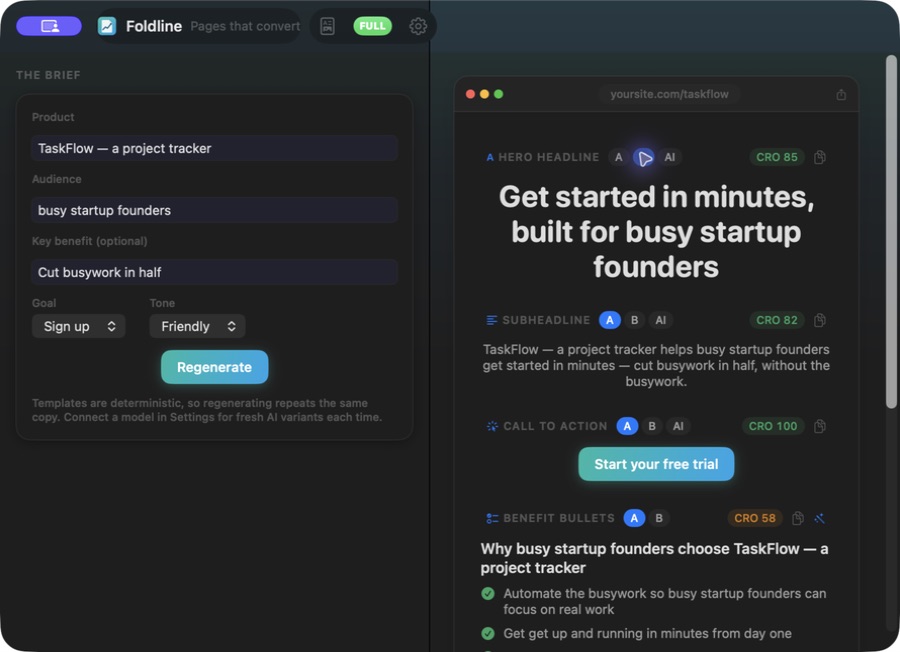
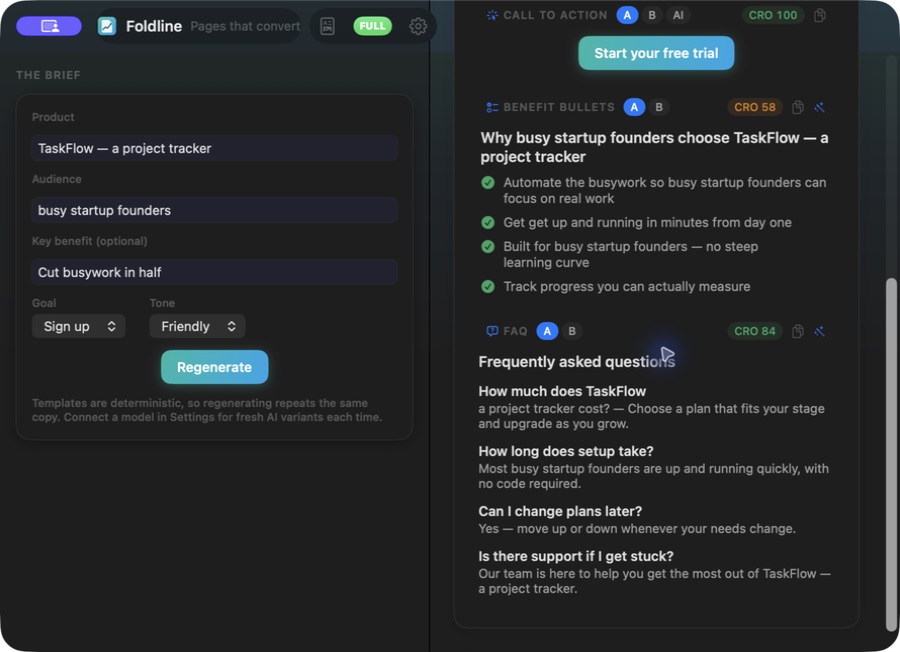
Explore 3 more screenshots
A simple way to get started
Write the brief
Bring together the product, audience and goal for the page.
Compare the sections
Develop the hero, benefits, call to action and FAQ with alternative wording.
Take the copy forward
Refine the page-shaped result and export the copy for design.
Explore more features
- Hero, benefits, CTA and FAQ drafts
- Per-block variants and editing
- Page copy export
Get Foldline
Compatibility and installation details
- Requires
- Windows x64; review product requirements
- Architecture
- x64
- Version
- 1.0.0
- Download
- 94.6 MB
- Installer
- Foldline-1.0.0-Windows-x64-Setup.exe
- Publisher signature
- Unsigned
- SHA-256
3221af27bdfd4c88357504bcf58084b9670b988500c2aacd50dad916eefd10ce
Download the Windows installer from your receipt and follow its setup steps.
Useful to know
What can I do with Foldline?
Bring the product, audience and goal together, then draft the hero, benefits, call to action and FAQ in one workspace. Foldline lets you compare alternative wording section by section and refine the page as a whole. Keep useful variants and export the copy when your story is ready for design.
How do I start?
Bring together the product, audience and goal for the page. Develop the hero, benefits, call to action and FAQ with alternative wording. Refine the page-shaped result and export the copy for design.
How do I receive my download?
After your purchase, the receipt page provides your download link. The exact expiry is shown with your delivery link. Keep your receipt and installer. If a link expires or a download fails, contact support with your receipt instead of buying again.
Where can I find setup help?
Compatibility and installation details are on this page. The installation guide and support team can help with the next step.
Watch the screenshot tour
. Watch the video and read a list of the views it shows before choosing the app.