
Refract
Turn one brief into advertising options.
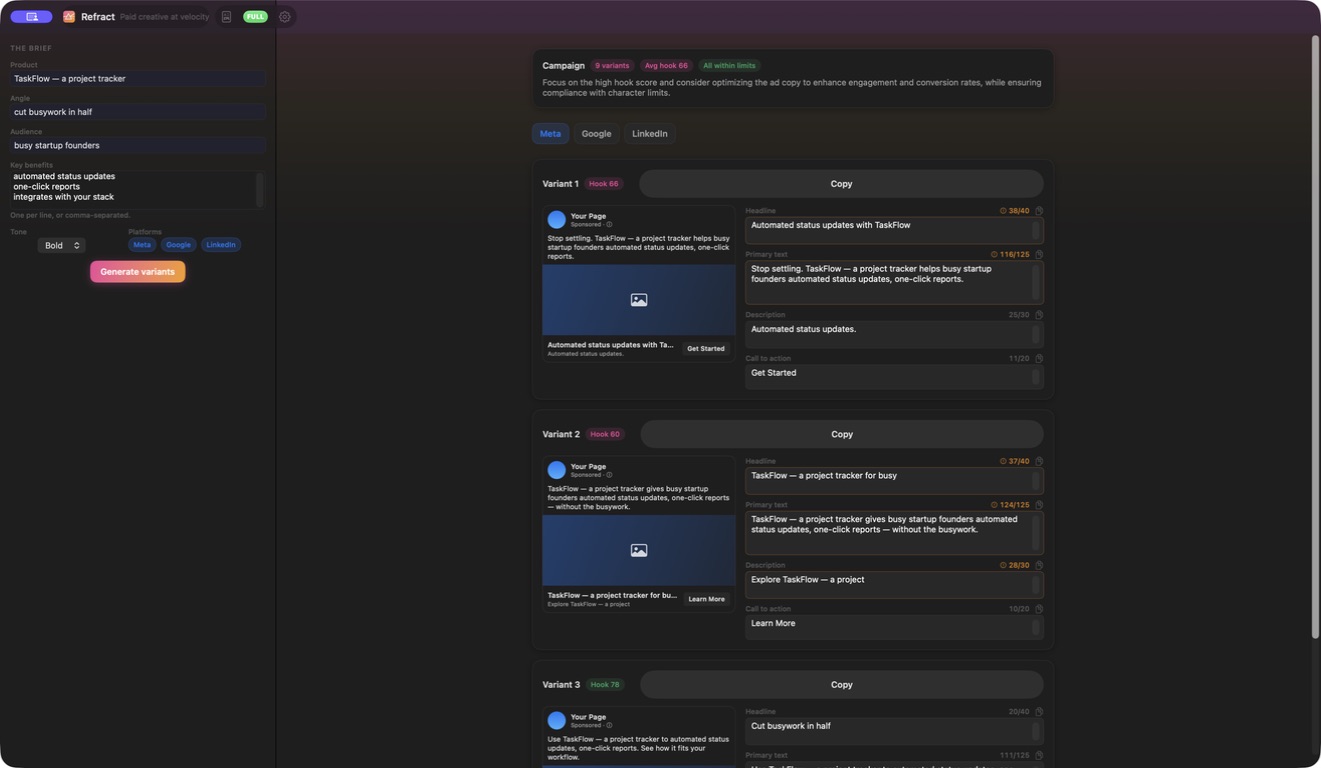
Start with a product brief and tone, then explore copy shaped for Meta, Google and LinkedIn.
What you can do with Refract
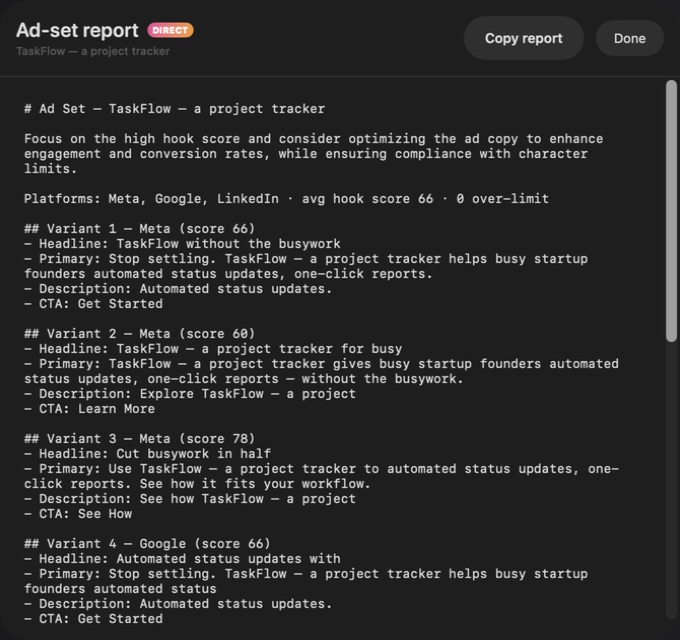
Start with a product brief and tone, then explore copy shaped for Meta, Google and LinkedIn. Refract brings headlines, body copy and calls to action into editable variants with destination previews. Compare your options, refine the wording and export a useful set of ads for the campaign you are preparing.
- Draft options for Meta, Google and LinkedIn
- Edit headlines, copy and calls to action together
- Compare destination previews before export
See the workspace
A simple way to get started
Bring your context
Start with the source material, brief or records for the task.
Develop the work
Use the focused workspace to compare, organise or draft the result.
Prepare the next step
Keep useful findings and copy ready for the next part of your work.
Explore more features
- Product brief and tone controls
- Meta, Google and LinkedIn copy previews
- Editable variants and Markdown export
Get Refract
Compatibility and installation details
- Requires
- Windows x64; review product requirements
- Architecture
- x64
- Version
- 1.0.0
- Download
- 94.8 MB
- Installer
- Refract-1.0.0-Windows-x64-Setup.exe
- Publisher signature
- Unsigned
- SHA-256
8faf6f6ebecbb293c76900f99ec7c2817e875ce176add78c249c954098a6b9c0
Download the Windows installer from your receipt and follow its setup steps.
Useful to know
What can I do with Refract?
Start with a product brief and tone, then explore copy shaped for Meta, Google and LinkedIn. Refract brings headlines, body copy and calls to action into editable variants with destination previews. Compare your options, refine the wording and export a useful set of ads for the campaign you are preparing.
How do I start?
Start with the source material, brief or records for the task. Use the focused workspace to compare, organise or draft the result. Keep useful findings and copy ready for the next part of your work.
How do I receive my download?
After your purchase, the receipt page provides your download link. The exact expiry is shown with your delivery link. Keep your receipt and installer. If a link expires or a download fails, contact support with your receipt instead of buying again.
Where can I find setup help?
Compatibility and installation details are on this page. The installation guide and support team can help with the next step.